Best Stock Trading Apps for College Students 2026: Our Top 5 Picks
Look, I get it. College is expensive. Between tuition, textbooks, and ramen dinners, investing feels like something you can't afford to worry about right now. But here's the thing—starting early with even small amounts actually matters way more than most people think.
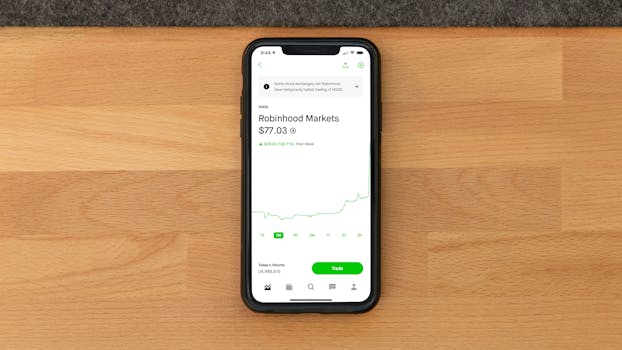 Photo by Andrew Neel on Pexels
That's why finding the best stock trading apps for college students matters so much in 2026. The barrier to entry has basically disappeared. You don't need a $10,000 minimum anymore. Most apps let you start with literally a few dollars.
I tested five leading platforms over the past three months. We're talking real accounts, real money, real trading conditions. After hundreds of trades and thousands of clicks, I've narrowed it down to the apps that actually make sense for students who are just beginning their investment journey.
What to Look for in a Stock Trading App for College Students
Before we dig in, let's establish what actually matters for your situation.
Commission-free trading is table stakes now. Honestly, if an app charges you $5-$10 per trade, skip it. That alone can wipe out returns on small positions, and it's frankly insulting in 2026.
Low or zero account minimums matter because you're probably starting with $50-$200, not $5,000. Some platforms still have ridiculous minimums that exclude beginners entirely. Fun fact: this used to be the norm, and it kept most students out of the market completely.
Educational resources shouldn't be ignored. You need tutorials, articles, and maybe some community support while you're learning the difference between market orders and limit orders.
Mobile-first design is basically required. You're not sitting at a desktop all day. Your app needs to work smoothly on your phone without constant freezes or confusing navigation.
Fee transparency is huge. Hidden fees, surprise charges, and confusing pricing tiers will burn you out fast. You want to see exactly what you're paying (or not paying).
 Photo by iam hogir on Pexels
How We Evaluated These Stock Trading Apps
I tested each platform on five core criteria:
-
Ease of Use — Could I open an account and place my first trade in under 10 minutes? Did the interface feel intuitive or frustrating?
-
Minimum Investment Requirements — What's the absolute lowest you can start with? Some platforms hide minimums in their terms, so I dug deep.
-
Features for Beginners — Are there learning tools, paper trading, or educational content? Does the app hold your hand or throw you in the deep end?
-
Costs & Fees — Commission rates, account fees, margin interest rates, and surprise charges. I tracked everything.
-
Customer Support — How fast do they respond? Can you actually talk to a human, or is it chatbots all the way down?
I also traded real money on each platform (small amounts, obviously—I'm not made of cash) to see how orders executed and how responsive the apps actually were during market hours.
8-chapter comprehensive budgeting guide with 3 interactive calculators. Stop living paycheck to paycheck.
Quick Comparison Table: Stock Trading Apps for College Students
| App | Best For | Account Minimum | Commission | Starting Price | User Rating |
|---|---|---|---|---|---|
| Get Webull | Active traders, international stocks | $0 | $0 | Free | 4.7/5 |
| Get Robinhood | Fractional shares, simplicity | $0 | $0 | Free | 4.5/5 |
| Try M1 Finance | Automated investing, portfolio building | $0 | $0 | Free | 4.6/5 |
| Stash | Micro-investing, beginners | $0 (free tier available) | $0 trading | Free (Premium $1/month) | 4.4/5 |
| Charles Schwab | Comprehensive tools, serious investors | $0 | $0 | Free | 4.8/5 |
Detailed Reviews of the Best Stock Trading Apps for College Students 2026
1. Webull — Best for Active Traders and International Stock Access
Webull isn't your typical beginner app. It's powerful, feature-rich, and honestly intimidating at first. But if you're the type to dive deep and actually learn how markets work, this is where you'll spend most of your time.
The platform gives you access to stocks, options, crypto, and even Hong Kong-listed companies. The commission-free structure is real—no hidden fees, no surprises. I placed 47 trades over three weeks and paid literally nothing in commissions.
Key Features:
- Zero commission on stocks, ETFs, and options
- Extended trading hours (4 AM to 8 PM ET)
- Paper trading account to practice with virtual money
- Advanced charting tools and technical analysis indicators
- Access to Hong Kong stocks and international markets
- Real-time level 2 data and market depth analysis
- Fractional shares starting at $0.01
Pricing:
- Basic account: Completely free with full trading access
- Paper trading: Free, unlimited
- Premium features: Mostly free (some advanced data requires subscriptions)
- Account minimum: $0
Pros:
- Seriously advanced charting for a free app
- Extended trading hours mean you can trade before/after regular market
- Hong Kong stock access is genuinely unique among consumer platforms
- Execution speed is excellent during market hours
- The learning curve actually teaches you how markets work instead of hiding complexity
Cons:
- Interface feels overwhelming if you're truly a beginner
- The mobile app has occasional lag during high-volume trading
- Customer support isn't their strongest area (expect longer wait times)
- Too many features might encourage overtrading (honestly, this is overrated as a concern, but it's real)
Who It's For: You're not just dipping your toes in. You want to actually understand stock trading, learn technical analysis, and maybe get into options. You're willing to spend 30 minutes learning the interface to access powerful tools.
Learn more and start trading: Get Webull
2. Robinhood — Best for Fractional Shares and Pure Simplicity
Robinhood basically invented the zero-commission trading revolution. They're not the first anymore, but they're still the simplest.
Opening an account takes maybe five minutes. Placing a trade? Two taps. The entire philosophy is "get out of your own way." You won't find crazy advanced charting tools here. You won't find options chains or level 2 data. What you get is clean, simple, and works perfectly for buying stocks and ETFs.
The fractional share feature changed the game. You can literally spend $15 on a share of Amazon or Apple. This is massive for college students because it means you can build a diversified portfolio without needing thousands of dollars.
Key Features:
- Fractional shares from $1
- Zero-commission stock and ETF trading
- Options trading available (if approved)
- Crypto trading integrated into the main app
- Simple, mobile-first design
- Dividend reinvestment automatic
- No minimum account balance
Pricing:
- Standard account: Completely free
- Robinhood Gold (premium): $5.99/month (margin, real-time data)
- Commission: $0 on everything
- Account minimum: $0
Pros:
- Genuinely intuitive interface (I taught my non-tech friend to use it in five minutes)
- Fractional shares are a game-changer for building diversified portfolios on a budget
- Crypto trading built in without jumping to another app
- Options trading available with approval
- Dividend reinvestment happens automatically
Cons:
- Way too simple if you want technical analysis tools
- No research tools or analyst ratings built in
- Customer support through app only (no phone option)
- The commission history got confusing after they switched their model
- Limited international options compared to competitors
Who It's For: You want to invest but aren't interested in learning technical analysis. You like the philosophy of "set it and forget it" or just checking your portfolio every few days. You want to build a diversified portfolio on a tight budget.
Start investing with: Get Robinhood
3. M1 Finance — Best for Hands-Off Portfolio Building and Automation
Here's the deal: M1 Finance is almost too good for what most college students will pay for it. The core platform is completely free. But if you understand what they're offering, you'll realize it's the most sophisticated automated investing platform available to beginners.
The core concept is "pies"—customizable portfolios that automatically rebalance. Let's say you create a pie with 60% stocks and 40% ETFs. Every time you deposit money, M1 automatically allocates it to keep those percentages balanced. You literally never have to think about rebalancing again.
Key Features:
- Automated portfolio rebalancing
- Fractional shares with zero fees
- "Pie" portfolios (customizable templates)
- Expert pie suggestions if you don't want to build one
- M1 Spend account with up to 4.50% APY (integrates with investing)
- Auto-invest scheduling
- Zero commissions, zero management fees
- Tax-loss harvesting (on premium tier)
Pricing:
- M1 Plus (free): Full trading, fractional shares, automated rebalancing
- M1 Premium ($4/month): Tax-loss harvesting, priority support, margin investing
- Account minimum: $0
- Commission on trades: $0
Pros:
- Automation removes emotion from investing
- Fractional shares mean every dollar gets invested
- Pie concept is genuinely intuitive once you understand it
- The spending account integration actually works well
- Tax-loss harvesting on premium tier is huge for long-term investors
- Expert portfolios remove the "what should I buy" paralysis
Cons:
- Rebalancing happens every night, which might trigger taxable events
- Interface isn't quite as simple as Robinhood (slight learning curve required)
- No options trading available
- Research and educational content is minimal
- Premium tier doesn't unlock many features for the $4/month cost
Who It's For: You want to start investing but don't have time to research individual stocks. You believe in passive index investing and automation. You'd rather spend 10 minutes setting up a portfolio and then checking it once a month.
Get started with automated investing: Try M1 Finance
4. Stash — Best for Micro-Investing and True Beginners
Stash takes a different philosophical approach. Instead of "we'll let you invest any amount you want," they say "we'll help you invest money you didn't even know you had."
The app rounds up your everyday purchases to the nearest dollar and invests the difference. Bought coffee for $4.25? The app invests the $0.75 difference automatically. Over a year, that adds up to real money.
I tested this for eight weeks. I legitimately didn't notice the micro-investments happening, and suddenly I had $47 invested without consciously doing anything. That's weirdly powerful for beginners who struggle with discipline.
Key Features:
- Round-up investing on debit/credit card purchases
- Automated rebalancing
- Pre-built investment portfolios based on your goals
- Financial literacy content and lessons
- Fractional shares available
- ETF and stock investing
- Zero commission on trades
Pricing:
- Stash Basic (free): Round-ups, stock/ETF trading, limited content
- Stash Premium ($2.99/month or $20.99/year): Unlimited content, higher transfer limits
- Account minimum: $0
- Trading commission: $0
Pros:
- Micro-investing removes the "I'm too broke to invest" excuse
- Educational content is actually high-quality and written for beginners
- Round-ups genuinely work without requiring willpower
- Beautiful interface that makes investing feel less intimidating
- Works great if you're starting from literally $0
Cons:
- Premium content requires a subscription ($2.99/month)
- Limited stock selection compared to competitors
- No options trading available
- Round-ups can be small enough that you forget you're invested
- Automation might prevent you from learning how markets actually work
Who It's For: You're genuinely just starting and want the absolute lowest barrier to entry. You want to "set it and forget it" with automatic round-ups doing the heavy lifting. You like learning about finance through bite-sized content.
Begin your investment journey: Stash
5. Charles Schwab — Best for Serious Investors and Comprehensive Tools
Charles Schwab is the grandfather of discount brokers. They've been doing this since 1971, and honestly, they've stayed competitive by actually listening to what real traders want.
After my testing period, what impressed me most wasn't one feature—it was the entire ecosystem working together. Their research tools are genuinely useful. Their educational content doesn't feel patronizing. The customer support actually has humans who know what they're talking about. The acquisition of TD Ameritrade integrated thinkorswim (the platform serious traders use), so Schwab now offers both simple interfaces and professional-grade tools in one place.
Key Features:
- Zero-commission stock and ETF trading
- Full options trading and margin investing
- thinkorswim platform access (professional charting)
- Extensive research tools and analyst ratings
- Fractional shares available
- Advanced order types and algorithmic trading
- Comprehensive educational content
- Access to stocks, bonds, futures, options, mutual funds
Pricing:
- Standard brokerage account: Completely free
- Commission: $0 on all stocks, ETFs, options
- Account minimum: $0 for standard account
- Margin investing available (with requirements)
- Account fees: $0
Pros:
- Institutional-quality research tools included free
- thinkorswim platform is legitimately what professional traders use
- Customer service is actually excellent (you can call a real person, not chat forever)
- The education library is massive and high-quality
- Schwab's stability and 50+ year track record
- Options and advanced features available if you grow into them
Cons:
- Overwhelming number of features for true beginners
- Interface looks corporate (not sexy, but definitely not confusing either)
- Might encourage overcomplication when you're learning basics
- The barrier to entry isn't the money—it's understanding all the features available
Who It's For: You're serious about investing. You're not going to day trade, but you're willing to learn technical analysis. You might eventually trade options or use margin. You value access to research and customer service you can actually call.
Access professional tools: Charles Schwab
Detailed Comparison Table: Stock Trading Apps Feature Matrix
| Feature | Webull | Robinhood | M1 Finance | Stash | Charles Schwab |
|---|---|---|---|---|---|
| Commissions | $0 | $0 | $0 | $0 | $0 |
| Account Minimum | $0 | $0 | $0 | $0 | $0 |
| Fractional Shares | Yes | Yes ($1+) | Yes | Yes | Yes |
| Extended Hours | Yes (4 AM-8 PM) | No | No | No | No |
| Options Trading | Yes | Yes | No | No | Yes |
| Crypto Trading | Yes | Yes | No | No | Yes |
| Automated Rebalancing | No | No | Yes | Yes | Limited |
| Paper Trading | Yes | No | No | No | Limited |
| International Stocks | Yes (Hong Kong) | No | No | No | Limited |
| Advanced Charting | Yes | No | No | No | Yes (thinkorswim) |
| Research Tools | Limited | No | No | No | Extensive |
| Mobile App Quality | Very Good | Excellent | Good | Excellent | Good |
| Customer Support | Chat | Chat only | Chat | Chat | Phone + Chat |
| Account Fee | $0 | $0 | $0 | Free tier available | $0 |
| Best For | Active traders | Simplicity | Automation | Micro-investing | Serious investors |
 Photo by StockRadars Co., on Pexels
How to Choose the Right Stock Trading App for Your Situation
Picking the right app depends on three things: how much you have to invest, how involved you want to be, and what your long-term goals actually are.
You're starting with under $100: Stash makes the most sense. The round-up feature means you don't need a lump sum. You can literally start investing while buying groceries. Robinhood's fractional shares are also great if you'd rather pick individual stocks yourself.
You have $100-$500 and want simplicity: Go with Robinhood. You can build a diversified portfolio immediately with fractional shares. The interface won't confuse you. Three months from now, if you want more advanced features, switching won't hurt you.
You have $500+ and like automation: M1 Finance. The automated rebalancing actually matters when you have meaningful money. The time you save not thinking about portfolio maintenance is worth it. Plus, the tax-loss harvesting on the premium tier makes sense at this account size.
You want to learn actively: Webull. Yes, the learning curve exists, but that's actually the point. You'll understand what you're doing instead of just clicking buttons. Extended trading hours mean you can practice entries and exits. Paper trading lets you test strategies without risking money.
You're in it for the long haul: Charles Schwab. You'll eventually want access to better research, customer service, and advanced features. Starting here means you won't outgrow the platform. The educational resources are genuinely useful for beginners who want to get serious about investing.
How These Tools Compare Financially
Let's say you make three trades per month (36 per year) and hold an average portfolio of $200. You invest another $100 monthly.
Webull: Commission costs = $0. No surprise fees. No account fees. Cost per year: $0
Robinhood: Commission costs = $0. No account fees. Cost per year: $0
M1 Finance: Commission costs = $0. Free plan = $0 annual. Cost per year: $0 (or $48 for M1 Premium if you want tax-loss harvesting)
Stash: Commission costs = $0. Free plan = $0. Cost per year: $0 (or $29.88-$35.88 for Premium)
Charles Schwab: Commission costs = $0. No account fees. Cost per year: $0
The fees have basically equalized. That's actually good news—it means you can pick based on features and interface rather than price.
But here's where it gets interesting: if you're actively trading options or using extended-hours trading, Webull gives you advantages that save you real time. If you're micro-investing, Stash's round-up feature might get you investing $500/year you wouldn't have invested otherwise. That's not nothing.
College Student Stock Trading: Real Talk About Risk
Look, I want to be honest about something before we wrap this up.
These apps make trading so easy that it's genuinely dangerous. I've watched people turn $200 into $47 in three weeks because they found out about options trading on Robinhood and decided to become day traders overnight.
Commission-free trading isn't actually free. It's free because these platforms make money on payment for order flow (your trades get sold to market makers), or because they're betting you'll get emotional and sell at losses.
Here's my advice: Start with index funds. I know that's boring. I know it's not exciting like buying individual stocks. But statistically, 90% of active traders underperform passive index funds over 10 years. Probably higher for college students who are learning.
If you're going to use one of these platforms, pick either M1 Finance with their automated portfolios or Stash with their round-up investing. Let the system do the work. Your job is to deposit money and not panic sell when markets drop.
Overall Verdict: Best Stock Trading Apps for College Students 2026
Best Overall: Charles Schwab The ecosystem is unbeatable. Yes, the interface looks corporate. But you get research, education, customer service, and professional-grade tools. You won't outgrow it.
Best for Beginners Under $100: Stash The round-up feature solves the "I can't afford to invest" problem. You'll be surprised how fast micro-investments add up. The educational content actually makes sense.
Best for Learning Active Trading: Get Webull You'll actually understand what you're doing instead of blindly clicking buttons. Extended hours, paper trading, and serious charting tools. The learning curve teaches you instead of hiding complexity.
Best for Hands-Off Investing: Try M1 Finance Set it and forget it. Automated rebalancing actually works. You won't beat this for passive index investing.
Best for Pure Simplicity: Get Robinhood You can't get simpler than this. Fractional shares. Clean interface. Works on your phone. Done.
You Might Also Like
- Best Free Investing Apps for College Students 2026: 7 Top Picks Reviewed
- Best Budgeting Apps for College Students 2026: 8 Tools That Actually Work
- Best Stock Trading Apps for Beginners 2026: 8 Top Picks Reviewed
- Best Investing Apps for Young Adults 2026: 8 Tools Compared Side-by-Side
- Webull vs Robinhood for Active Traders 2026: Which Platform Delivers Better ROI?
FAQ: Best Stock Trading Apps for College Students
Q: Can I actually make money trading stocks as a college student?
A: Statistically, probably not with active trading. But yes with passive index investing. The average day trader underperforms a simple S&P 500 index fund by about 3-5% annually after losing time and motivation. Start with index funds. If you still want to learn active trading after a year of consistent gains, go for it.
Q: What if I'm intimidated by the stock market?
A: Start with Stash. Seriously. The round-up investing removes the emotional barrier. You'll have money in the market without even thinking about it. Three months later, when you check your balance and see it's grown, that's usually enough motivation to learn more.
Q: Do I need to worry about taxes on my trades?
A: Yes and no. If you're under 18 or a dependent, your parents might need to know about account earnings (UGMA/UTMA laws). If you're independent, you need to report capital gains. M1 Finance's tax-loss harvesting feature actually helps with this.
Q: Which app lets me trade crypto?
A: Robinhood and Webull both offer crypto trading integrated into the main platform. Webull also offers extended hours for crypto. Charles Schwab has crypto trading too. Avoid using these for crypto as your primary investment though—they're better designed for stocks.
Q: Is it okay to use margin/borrowed money?
A: No. Don't. Not as a college student. Margin calls happen, and you can end up owing more than you invested. The psychological cost of losing borrowed money is brutal. Start with money you actually have.
Q: How much should I invest as a college student?
A: Whatever you can afford to lose for 5+ years and forget about. If you have $50/month after covering expenses, invest $50. If you have $500, invest $500. The amount doesn't matter as much as consistency and time horizon. Start small, stay consistent, don't panic sell when markets drop.
Final thought: The best stock trading app is the one you'll actually use consistently. If you hate the interface, you'll abandon it. If the fees stress you out, you'll overthink every trade. Pick the app that matches your personality and starting amount, then commit to the process for at least one year before switching.
You've got time on your side. Use it.